
M5 iPad Pro surprise features that enhance your upgrade
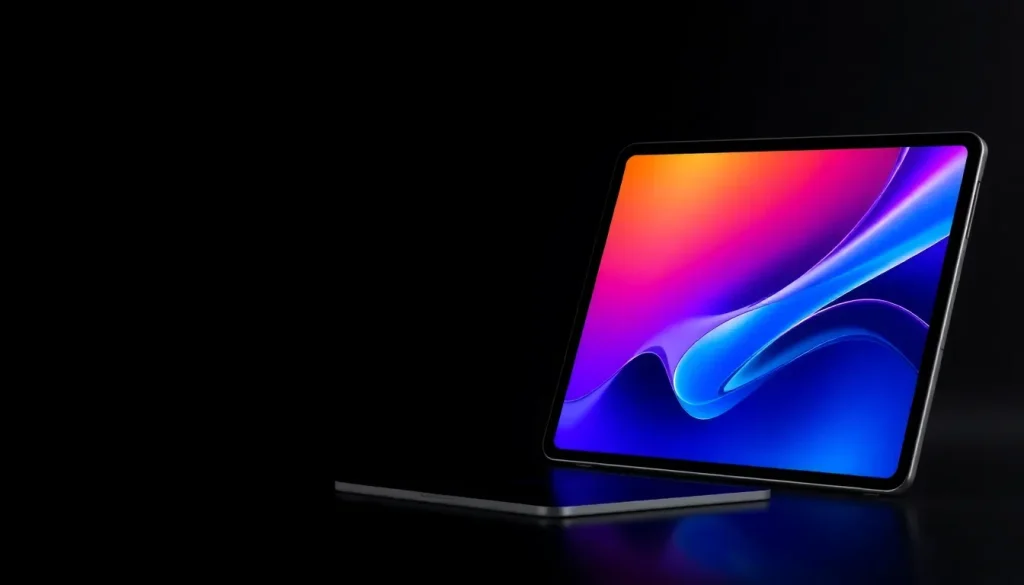
The latest M5 iPad Pro has officially launched, bringing with it a host of unexpected features that elevate its appeal beyond what many anticipated. With significant upgrades over the M4 model, this new iPad Pro is sure to catch the attention of tech enthusiasts and professional users alike. Here’s a closer look at what makes the M5 iPad Pro a standout device.
M5 iPad Pro introduces unexpected features
Leading up to the announcement of the M5 iPad Pro, many rumors circulated, but few concrete details emerged. Most discussions centered around the anticipated M5 chip, with little else to fuel speculation.
One of the few rumored features—a second front-facing camera—did not materialize as expected, leaving many to wonder what else might be in store. However, I was already leaning towards upgrading for a couple of compelling reasons:
- The introduction of a nano-texture display option, which I opted out of last year.
- The performance enhancements promised by the new M5 chip.
Since acquiring my M4 model, I've heard rave reviews about the nano-texture feature, particularly from users who often work in brightly lit environments where glare is a significant issue. As my iPad Pro serves as my primary computer, I recognize the potential benefits of a more powerful chip, especially with the advent of iPadOS 26.
However, Apple has exceeded expectations with the M5 iPad Pro, offering several surprise upgrades that enhance its functionality and user experience:
- Memory Bandwidth: The M5 boasts a remarkable 153GB/s unified memory bandwidth, nearly 30% greater than the M4, facilitating smoother multitasking.
- C1X Modem: This new modem provides up to 50% faster cellular performance, enhancing connectivity.
- Improved Battery Life: The C1X modem consumes up to 30% less power than its M4 counterpart, extending battery life on cellular.
- Fast Charging: Users can experience up to 50% charge in just 35 minutes, a welcome feature for those on the go.
- N1 Wireless Chip: Supporting Wi-Fi 7 and Bluetooth 6 standards, this chip enhances the reliability of Continuity features.
- 120Hz External Display Support: The new model shows improved compatibility with external displays, opening doors for enhanced productivity.
In summary, the M5 iPad Pro brings a wealth of changes that surpass those seen in Apple’s new MacBook Pro and Vision Pro models.
Reasons to consider upgrading to the M5 iPad Pro
The enhancements in iPadOS 26 have made multitasking a breeze, but the increase in RAM is a game-changer. The base model of the M5 iPad Pro comes with 12GB of RAM, an upgrade from the 8GB found in the M4 model. Opting for the 1TB model gives an impressive 16GB of RAM, significantly improving performance.
As a daily user of my iPad Pro on cellular data, the C1X's faster performance and reduced battery consumption are particularly appealing. It's not uncommon for me to drain my iPad Pro's battery, making the fast charging capability a highly sought-after feature.
The N1 chip also enhances connectivity features, including AirDrop and Personal Hotspot, which should improve overall performance and reliability. Given its integration into more Apple devices, I expect benefits to extend across various Continuity features.
With plans to acquire a new Studio Display when it becomes available, the added 120Hz support hints at exciting possibilities for higher refresh rates, which will undoubtedly enhance the overall experience.
All these features, combined with the M5 chip and the opportunity to choose a nano-texture display, make the M5 iPad Pro an upgrade that exceeds my expectations.
For further insights on the M5 iPad Pro, check out these links for detailed comparisons and specifications:
- M5 iPad Pro vs M4 iPad Pro: Here’s everything new
- PSA: M5 iPad Pro models come with different RAM and CPU core counts
- Apple launches new iPad Pro with M5 chip, C1X modem
Best accessories for your iPad Pro
To complement your M5 iPad Pro, consider these highly recommended accessories that can enhance your user experience:
- Apple Pencil Pro (now only $99, down from $129)
- 100W USB-C power adapter for fast charging
- AirPods Pro 3
- tomtoc Tablet sleeve bag for protection and style
- Baseus 10ft USB-C cable for extended reach
Whether you're a professional looking to maximize productivity or a casual user wanting the latest tech, the M5 iPad Pro offers features that make it a worthwhile investment. Are you planning to upgrade? If so, which model are you moving from? Share your thoughts in the comments below.
For a deeper dive into the features of the M5 iPad Pro, you can watch this informative video that discusses its capabilities:



Leave a Reply