
KiiBoom Cybrix 29 review - compact keyboard with full utility
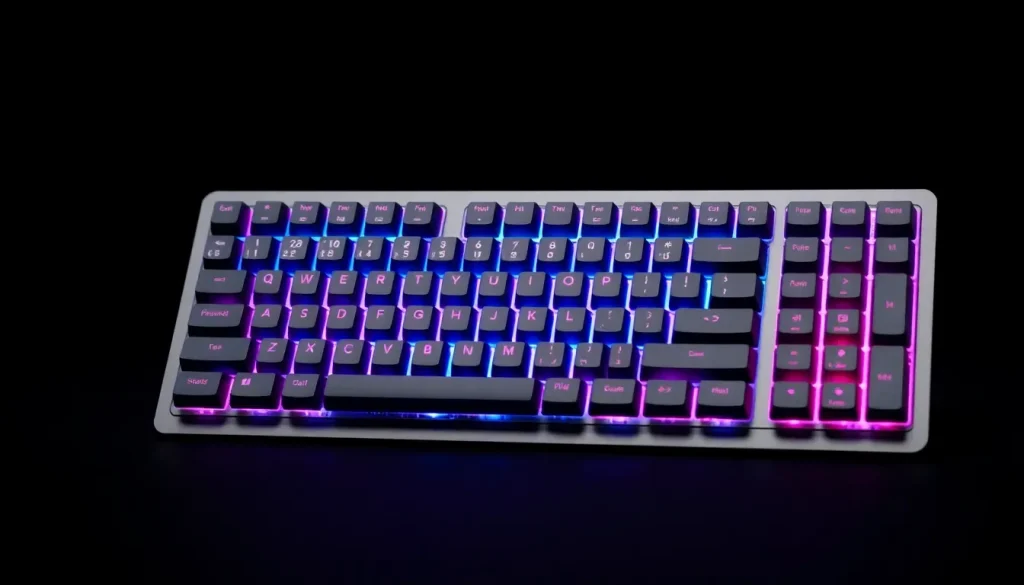
In a crowded market of mechanical keyboards, the KiiBoom Cybrix 29 stands out as a unique offering that caters to both gamers and productivity enthusiasts alike. With its compact design and customizable features, this device is more than just half a keyboard; it's a versatile tool that enhances your computing experience.
For those seeking a reliable and stylish keyboard option, the Cybrix 29 merges functionality with aesthetic appeal, providing a solid alternative to traditional full-sized keyboards. Whether you are gaming, working, or creating art, this keyboard aims to deliver a satisfying experience.
- KiiBoom Cybrix 29 Review: Unboxing Experience
- KiiBoom Cybrix 29 Review: Specifications Overview
- KiiBoom Cybrix 29 Review: Quality and Design Features
- KiiBoom Cybrix 29 Review: Customization Options
- KiiBoom Cybrix 29 Review: User Experience
- KiiBoom Cybrix 29 Review: Pros and Cons
- Rating: 4 out of 5
- Where to buy the KiiBoom Cybrix 29
KiiBoom Cybrix 29 Review: Unboxing Experience
The KiiBoom Cybrix 29 arrives in a beautifully designed packaging that reflects the brand's commitment to quality and aesthetics. Each component is meticulously arranged and protected, ensuring everything is in perfect condition upon arrival.
Inside the box, you will find:
- Cybrix 29 keyboard
- Additional keycaps for Mac users (Option and Command keys)
- 2-in-1 keycap and switch puller
- USB-A to USB-C cable
- User manual
The presence of Mac-specific keycaps is particularly noteworthy, as KiiBoom aims to appeal directly to Apple users. This thoughtful inclusion indicates that the keyboard is designed with cross-platform compatibility in mind, making it a versatile choice.
KiiBoom Cybrix 29 Review: Specifications Overview
Understanding the specifications of the KiiBoom Cybrix 29 helps potential users grasp what this keyboard brings to the table. Below are the key features:
| Specification | Details |
|---|---|
| Layout | 29 keys and 3 knobs |
| Connectivity | Cable Wired, 2.4GHz, Bluetooth 5.0 |
| Case Material | CNC Aluminum & Acrylic |
| Plate Material | FR4 |
| PCB Type | Hall Effect |
| Hot-swappable | Yes |
| Polling Rate | Up to 8000Hz |
| Keycap Material | Dye-Sub PBT |
| Keycap Profile | Cherry |
| Anti-ghosting | NKRO |
| Compatible OS | Windows/MacOS |
| Backlight | RGB |
| LED Direction | South-facing |
| Dimensions | 150mm x 34mm x 30mm |
| Weight | 0.42kg |
KiiBoom Cybrix 29 Review: Quality and Design Features
The construction quality of the KiiBoom Cybrix 29 is impressive. With a solid CNC aluminum case, this keyboard exudes durability and a premium feel. It fits seamlessly into both Mac and Windows setups, making it a versatile accessory for any workstation.
The Cybrix 29 is available in three distinct colorways to cater to different aesthetic preferences:
- Black with white/orange/black keycaps
- Silver with grey and blue keycaps
- Pink with light pink keycaps
This variety allows users to choose a design that complements their existing decor. Additionally, the keyboard features rubber gripper pads on the bottom for enhanced stability, ensuring it remains firmly in place during intense gaming sessions.
The bright RGB lighting, positioned under the keycaps, provides an exciting visual element. The south-facing LEDs enhance the overall atmosphere, creating a personalized experience that can be tailored to suit different moods or preferences.
KiiBoom Cybrix 29 Review: Customization Options
One of the standout features of the Cybrix 29 is its customization capabilities. KiiBoom includes proprietary Duskrise switches, which are hot-swappable, allowing users to change key switches easily without soldering. This flexibility encourages users to experiment with different switch types for a truly personalized feel.
The accompanying macOS software further enhances the customization experience. Users can:
- Reassign any key or knob function
- Assign macros for complex commands
- Adjust RGB lighting effects
- Set up profiles for different use cases (gaming, work, etc.)
For those who prefer not to rely on software, the Cybrix 29 also supports basic functionality controls via the Function key, allowing for seamless use without additional applications.
KiiBoom Cybrix 29 Review: User Experience
Connecting the Cybrix 29 to my Mac Studio was a breeze. After installing the driver, I was quickly able to explore its features and make adjustments to suit my needs. However, one minor hiccup was the initial setting defaulting to Chinese, which required a quick language change for comfortable use.
The keyboard performed exceptionally well during gameplay, particularly in fast-paced environments like Dead by Daylight. Its responsiveness and stability made for an enjoyable gaming experience, and I found the ability to customize controls to be a game-changer.
Additionally, as a digital artist, I set up a profile tailored for my workflow while using my drawing tablet. The Cybrix 29 efficiently handled my key commands, allowing for a smooth drawing experience. Although I still needed a full-sized keyboard for extensive typing tasks, the Cybrix 29 fulfilled my short command needs perfectly.
KiiBoom Cybrix 29 Review: Pros and Cons
Pros
- Exceptional build quality and design
- Compatible keycaps for both Mac and Windows users
- User-friendly driver software with extensive customization options
- Compact design that saves desktop space
Cons
- Only wired USB connectivity, limiting flexibility
- Currently available only in a right-hand dominant configuration, which may not suit all users
Rating: 4 out of 5
The KiiBoom Cybrix 29 impresses with its quality, design, and functionality, earning a solid rating of 4 out of 5. Its price point of $89 makes it an attractive option for users seeking a robust keyboard without breaking the bank.
Where to buy the KiiBoom Cybrix 29
The KiiBoom Cybrix 29 is available for purchase on the KiiBoom online shop for $89.99. It can also be found on Amazon at the same price, making it easily accessible for anyone interested in enhancing their keyboard experience.
If you're curious about what this keyboard can do, check out this video that showcases its features and performance:



Leave a Reply