
Transform your Mac mini into a retro classic with this dock
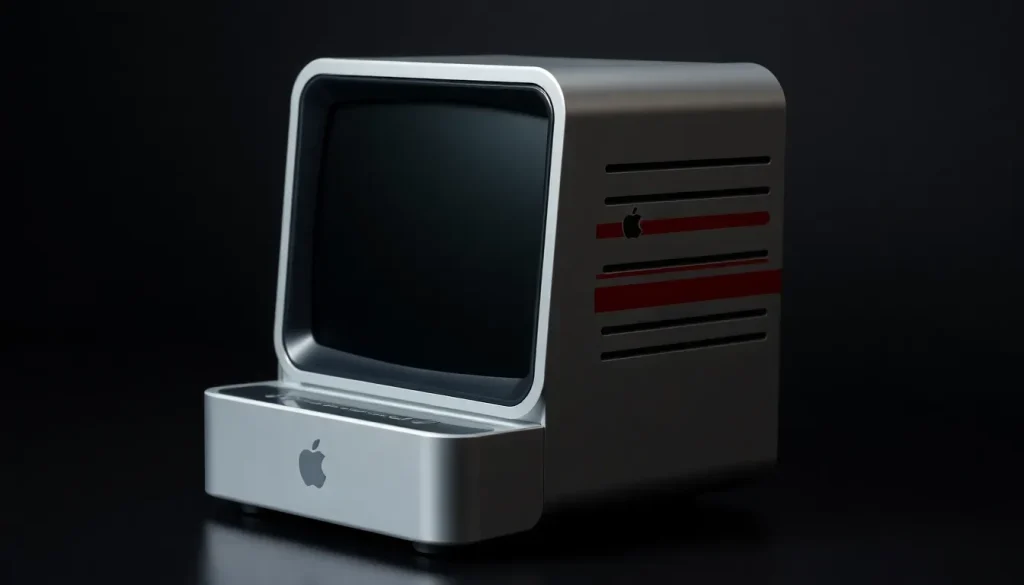
In a world where technology often sacrifices personality for functionality, finding a tech accessory that embodies both is becoming increasingly rare. The Wokyis Retro Docking Station for the M4 Mac mini stands out as a delightful exception, merging nostalgia with modern utility. Imagine transforming your sleek Mac mini into a retro classic reminiscent of the iconic designs of the 1980s. After using this intriguing product for several weeks, I can confidently say it fulfills both aesthetic and operational needs with style. Here’s an in-depth look at what this unique accessory has to offer.
For a closer look at my unboxing and setup experience, be sure to check out my video below!
Detailed specifications and features
The Wokyis Retro Docking Station is not just a pretty face; it’s a highly functional USB-C hub that boasts an impressive array of ports and features designed to enhance your Mac setup. Specifically, it’s a 13-in-1 hub, making it compatible with a wide range of devices. The design is tailored to snugly fit the M4 and M4 Pro Mac mini, but it’s versatile enough to work with other Macs or any computer equipped with a USB-C port. Below is a breakdown of its key specifications:
- Display: 5-inch, 1280 × 720 IPS panel
- USB Ports: 4x USB-A (10Gbps), 2x USB-C (10Gbps), 1x USB-C host
- Card Readers: SD + microSD 4.0 (UHS-II, 312MB/s)
- Audio: 3.5mm headphone jack (supports 32-bit, 8–384kHz)
- Video Input: HDMI-In
- Storage Slot: M.2 NVMe SSD slot (supports up to 8TB, with 10Gbps transfer speeds)
- Dimensions: 145 × 131 × 154mm; Weight: 510g
The dock is available in two models:
- 10Gbps model - The standard version I tested.
- 80Gbps model - Features upgraded DisplayPort 2.1 for 8K/60Hz and ultra-high-speed SSD transfer capabilities.
With these specifications, the Wokyis Retro Docking Station positions itself as a game-changer for Mac mini users, combining practicality with a retro flair.
Unboxing experience and setup process
The unboxing of the Wokyis Retro Docking Station was surprisingly delightful. The packaging was comprehensive, including three different USB-C cables—one for connecting the Mac mini to the dock and two extras for power or daisy chaining. Additionally, it comes with thermal pads, screws, and a screwdriver for easy installation of your NVMe drive, which is an attractive feature given its storage capabilities.
The setup itself was remarkably straightforward. The Mac mini fits into the dock seamlessly, creating a satisfying experience as you place it in its designated spot. What caught me off guard was how the built-in 5-inch display powered on directly from the Mac mini, eliminating the need for an additional power cable.
My hands-on experience with the dock
Upon using the dock, I began by testing the 5-inch display as a standalone monitor. While it is compact, it can technically handle tasks at its maximum resolution of 2560×1600. However, I found it more suitable as a secondary display rather than a primary one. It excels in serving quick glanceable needs, ideal for watching YouTube videos or displaying ambient content while I work.
Here are some effective uses for the display:
- Playing video podcasts while multitasking.
- Displaying quick reference materials or to-do lists.
- Showing ambient soundscapes to enhance focus.
While the display may not replace a full-sized monitor, it integrates seamlessly into a desk setup and adds a unique charm. The hub itself is impressive, particularly the 10Gbps version that I tested. The speed and convenience surpassed my expectations. The inclusion of SD and microSD slots is particularly beneficial for photographers like myself, who frequently transfer files from their cameras.
Moreover, the M.2 NVMe slot allows for substantial internal storage expansion, supporting up to 8TB of additional space. This hub is designed with user accessibility in mind, with frequently used ports located at the front and less accessed ones discreetly positioned at the back. The overall lightweight design and built-in ventilation ensure optimal performance without overheating.
Lastly, the retro aesthetic of the dock is an eye-catcher. It stands out on my desk, prompting conversations that most tech accessories fail to inspire.
Pricing and availability details
The Wokyis Retro Dock is currently available for purchase on Amazon. Here’s a quick overview of the pricing for both models:
- 10Gbps model - Priced at $169, featuring the 13-in-1 hub, 5-inch display, NVMe slot (up to 8TB), and essential ports.
- 80Gbps model - Priced at $339, to be released on November 15th, enhances SSD transfer speeds and includes DisplayPort 2.1 for 8K/60Hz support.
The base model is already recognized as one of the most valuable USB-C hubs for Mac mini users. Its combination of functionality, retro design, and usability makes it a worthwhile investment for anyone looking to add a unique accessory to their setup.
If you're interested in enhancing your storage experience, consider checking out this recommended NVMe SSD that pairs perfectly with the Wokyis dock—it's fast, reliable, and easy to install!
Top Mac accessories you shouldn’t miss
- M4 Mac Mini under $540
- Sotsu Portable Display
- Kuxiu Qi2.2 X40 Turbo Charger
- BenQ PD3205U 32in 4K Display
- Satechi Mechanical Keyboard
- Logitech Anywhere 3S
- Samsung T9 SSD
Exploring these accessories can elevate your Mac experience, offering both functionality and style that aligns with your personal preferences.


Leave a Reply