
Samsung 9100 Pro vs Kingston Fury Renegade G5 Comparison Guide
Affiliate Disclosure: This post may include affiliate links. If you click and make a purchase, I may earn a small commission at no extra cost to you.
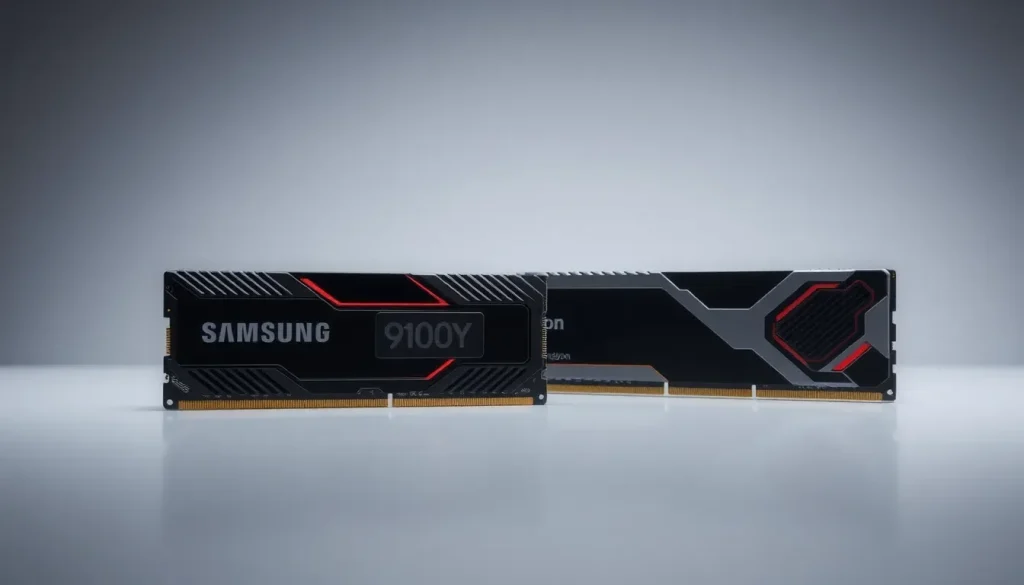
In the evolving world of high-performance storage solutions, the competition between SSDs is fierce. Among the leading contenders in the Gen 5.0 NVMe category are the Kingston Fury Renegade G5 and the Samsung 9100 Pro. Both SSDs promise exceptional performance, but understanding their differences is crucial for making an informed choice.
These SSDs utilize NAND flash memory to store data, with the Kingston Fury Renegade G5 featuring Kioxia's 8th-generation 3D NAND, BiCS8, while the Samsung 9100 Pro employs Samsung's own V8 V-NAND technology. While specifications can be confusing, a deeper look at their capabilities and performance metrics reveals which SSD might suit your needs better.
Comparing theoretical specifications of both SSDs
While both the Samsung 9100 Pro and Kingston Fury Renegade G5 belong to the high-end PCIe Gen 5 SSD category, their theoretical specifications present intriguing differences. The Samsung 9100 Pro boasts impressive maximum sequential read speeds of 14,800 MB/s and write speeds of 13,400 MB/s. In contrast, the Kingston Fury Renegade G5 matches the read speed of 14,800 MB/s but achieves 14,000 MB/s write speed starting from the 2TB capacity, with the 1TB variant lagging behind at 11,000 MB/s.
When evaluating random read performance, both drives perform admirably, achieving 2.2M IOPS. However, the Samsung drive excels in random writes with a score of 2.6M IOPS, which is approximately 18-20% faster than the Kingston model. The 236-layer V-NAND in the Samsung drive also contributes to better endurance and efficiency compared to Kingston's 218-layer BiCS8.
- Samsung 9100 Pro: 14,800 MB/s read, 13,400 MB/s write
- Kingston Fury Renegade G5: 14,800 MB/s read, 14,000 MB/s write (from 2TB)
- Random read IOPS: 2.2M for both
- Random write IOPS: 2.6M for Samsung, 2.2M for Kingston
In summary, while both SSDs offer top-tier performance, the Samsung 9100 Pro provides slightly better capabilities in random write scenarios and overall consistency across capacities, making it ideal for various professional workloads.
Benchmark scores comparison for real-world performance
Benchmark tests provide a clearer picture of how these SSDs perform under real-world conditions. In particular, the 2TB variants of both drives are often used for these comparisons, revealing nuanced differences in their capabilities.
PCMark 10 full drive benchmark insights
The PCMark 10 benchmark simulates real-world tasks such as office applications, video editing, and gaming to assess a drive's overall performance. In this test, the Kingston Fury Renegade G5 outperformed the Samsung 9100 Pro, achieving a score of 6,893 compared to 6,597. Additionally, its bandwidth was recorded at 1,087 MB/s versus Samsung's 1,037 MB/s.
These differences highlight Kingston's firmware and controller advantages, providing a slight edge in both throughput and overall responsiveness for gaming and general desktop operations.
3DMark storage test for gamers
This benchmark evaluates SSD performance specifically for gaming. The Kingston Fury Renegade G5 recorded a score of 7,337, significantly outpacing the Samsung 9100 Pro's score of 6,371, which translates to roughly a 15% performance difference. In terms of bandwidth, Kingston achieved 1,232 MB/s compared to Samsung's 1,084 MB/s, demonstrating its ability to handle large game files more efficiently.
Moreover, with lower latency (24 µs for Kingston vs. 28 µs for Samsung), the Renegade G5 clearly establishes itself as the superior option for gaming enthusiasts.
CrystalDiskMark peak sequential read/write speed results
The results from the CrystalDiskMark benchmark also favor the Kingston Fury Renegade G5, particularly in write performance at higher queue depths. For instance, it achieved 13,413 MB/s in 1MB QD8 writes compared to Samsung's 13,175 MB/s. However, Samsung maintained a slight advantage in low-queue read scenarios.
This suggests that while Kingston excels in write-heavy operations, Samsung still holds its ground in low-latency read tasks.
Random read/write speed performance
At lower queue depths, Kingston showcases its superior responsiveness. For instance, the 4KB QD1 read speed was approximately 12% higher than Samsung's, and its write performance exceeded Samsung's by nearly 20%. Conversely, both SSDs performed similarly under heavy loads, indicating that Kingston's small-block performance makes it particularly suitable for OS drives and gaming applications.
File transfer rate analysis
In file transfer tests, the Kingston Fury Renegade G5 demonstrated slightly better copy and read speeds, with a notable performance in copying a 6.5GB zip file. However, Samsung's 9100 Pro proved to be more efficient for larger sequential writes.
Power consumption and efficiency comparison
Efficiency plays a vital role in SSD performance, particularly for users focused on power consumption. The Kingston Fury Renegade G5 outperformed Samsung in this category, with 697 MB/s per watt compared to Samsung's 457. Both drives average around 4 watts under load, but Kingston's idle consumption is significantly lower.
- Kingston Fury Renegade G5: 697 MB/s per watt
- Samsung 9100 Pro: 457 MB/s per watt
- Idle power draw: Kingston 1,413 mW, Samsung 1,924 mW
Sustained write speed performance
Understanding sustained write speeds is critical for those working with large files. After the exhaustion of the cache, the Kingston Renegade G5 showed a write speed of around 1,545 MB/s, while Samsung's performance averaged about 1,485 MB/s. While both drives perform admirably, Kingston's edge in this area is noteworthy.
Thermal performance analysis
Heat generation is a key consideration for SSD longevity. The Kingston Fury Renegade G5 remains efficient, often staying below 60°C, while the Samsung 9100 Pro can reach up to 67°C under load. Given this, using a heatsink with the Samsung drive is advisable, especially for heavy workloads.
Endurance and reliability: TBW, DWPD, MTBF, and warranty
When it comes to endurance and reliability, Kingston's Fury Renegade G5 takes the lead. It consistently offers higher TBW ratings across different capacities, such as 2,000 TBW for the 2TB variant compared to Samsung's 1,200 TBW. Additionally, the DWPD rating is higher for Kingston (0.5 vs. 0.3), indicating its ability to withstand more daily writes over its lifespan.
Moreover, the MTBF rating reflects similar superiority, with Kingston rated at 2.0 million hours compared to Samsung’s 1.5 million hours, showcasing Kingston's enhanced endurance and reliability.
Understanding technical specifications
The Kingston Fury Renegade G5 and Samsung 9100 Pro also differ in various technical specifications. Both utilize advanced controllers and support DRAM caching, which helps improve performance during intensive workloads. Here’s a breakdown of key specifications:
| Feature | Kingston Fury Renegade G5 | Samsung 9100 Pro |
|---|---|---|
| Controller | ARM Cortex-R8 (6nm) | ARM Cortex-R8 (5nm) |
| NAND Type | Kioxia BiCS8 | Samsung V8 V-NAND |
| Sequential Read Speed | 14,800 MB/s | 14,800 MB/s |
| Sequential Write Speed | 14,000 MB/s (from 2TB) | 13,400 MB/s |
| Random Read IOPS | 2.2M | 2.2M |
| Random Write IOPS | 2.2M | 2.6M |
Price comparison and value assessment
As of now, the pricing for these SSDs reflects their performance capabilities. The 1TB Samsung 9100 Pro is priced around $135.66, while the 1TB Kingston Fury Renegade G5 is approximately $193.83, resulting in a significant price gap of about $58. Similarly, the 2TB variants exhibit a comparable price difference.
While the Kingston Fury Renegade G5 offers superior specifications and performance, it comes at a higher cost. However, it’s essential to consider the potential for price fluctuations as the Renegade G5 is relatively new in the market, and prices may decrease over time.
Ultimately, the choice between these two SSDs should hinge on your specific needs. For gamers, content creators, or professionals requiring high Gen 5.0 bandwidth, the additional investment in the Kingston Fury Renegade G5 can yield noticeable benefits, especially when transferring large files.
The Samsung 9100 Pro, while slightly lower in benchmark scores, remains a formidable option with consistent performance and efficiency. Choosing it might save you money without sacrificing too much performance in most scenarios.
In essence, both SSDs are excellent choices, but your decision should align with your performance requirements and budget constraints. If you seek the best performance possible, the Kingston Fury Renegade G5 is the way to go. Otherwise, the Samsung 9100 Pro stands as a reliable alternative that balances price and performance effectively.
To further explore the differences and capabilities of these SSDs, consider checking out this insightful video review:


Leave a Reply