
Affordable Ways to Set Up a Linux Home Server
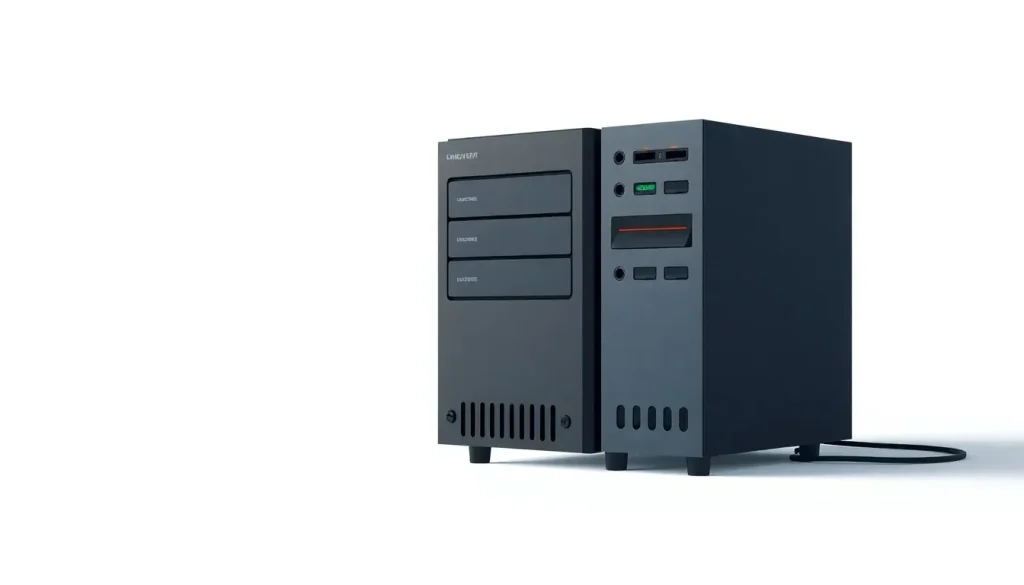
For anyone who has delved into the world of Linux, the benefits of using this operating system are undeniable. Not only does it offer a robust alternative to commercial operating systems, but it also empowers users, particularly when it comes to setting up their own home servers. This guide will explore the possibilities of running a Linux home server on a budget, providing insights into software, hardware, and practical steps to take.
Setting up a home server can help you keep your files private, run personal applications, and even host websites—all without relying on cloud services. Let's dive into how you can achieve this effectively and economically.
Choosing the right software for your home server
The first step in setting up your home server is choosing the right Linux distribution. With numerous options available, it might feel overwhelming.
For beginners, Ubuntu Server is a fantastic choice due to its user-friendly nature and extensive online documentation. It allows easy administration, especially if you're already familiar with Ubuntu’s desktop version. For detailed installation instructions, check out the official guide on installing Ubuntu Server.
Once you have your distribution, think about the applications you want to run. The world of self-hosted software is vast, and you can find many free and open-source options. A particularly useful resource is a curated list by GitHub user Edward D., which features various self-hosted software types from blogging platforms to CRM systems. You can explore this list at awesome-selfhosted.
Among these options, Sovereign stands out as a robust solution for those looking to gain digital independence. With a few straightforward commands, you can set up an email server, VPN service, and more. It’s a great starting point for anyone interested in self-hosting.
Hardware considerations for your server
Choosing the right hardware is crucial for the performance of your home server. Here are some common options, each offering different advantages:
- Recycled PCs: If you have an old desktop lying around, consider repurposing it. This not only saves money but is an eco-friendly choice that reduces e-waste.
- Raspberry Pi: Starting at around $35, the Raspberry Pi is a compact, low-power option perfect for light server tasks, such as hosting a small number of services.
- NUCs and small PCs: Intel’s NUCs are designed for versatility, able to manage more demanding tasks than a Raspberry Pi while still being energy-efficient.
- NAS Appliances: If you prefer something plug-and-play, NAS systems like those from QNAP and Synology can be great as they require less technical expertise.
- Virtual Private Servers (VPS): Services like Digital Ocean offer VPS starting at $5/month, providing a cloud-based option that avoids the hassle of hardware management.
Repurposing old PCs for Linux
Utilizing an old desktop or laptop is a practical and cost-effective approach. While newer versions of Windows demand more resources, Linux can breathe new life into older hardware. This method helps extend the lifecycle of electronic components and keeps harmful materials out of landfills.
Raspberry Pi as a home server
The Raspberry Pi is a tiny computer that packs a punch. It offers networking capabilities, USB ports, and GPIO pins, making it perfect for hobbyists. Not only is it affordable, but it also consumes significantly less energy compared to traditional desktop systems. If you're looking to host simple tasks like a file server, the Raspberry Pi is a commendable choice.
While it lacks onboard storage, you can easily connect an external USB drive to expand its capabilities, allowing for file hosting or media streaming.
NUCs and compact PCs
NUCs (Next Unit of Computing) are small form-factor PCs that offer more power than the Raspberry Pi. These devices can handle light to medium server duties, making them suitable for various applications, from media servers to web hosting. Some models come with SSD storage, while others require external drives for larger data storage.
Network Attached Storage (NAS) systems
If you're not comfortable with Linux installation and maintenance, a NAS offers an excellent alternative. Think of it as your personal cloud service, with companies like QNAP and Synology providing user-friendly interfaces that simplify setup and management. While basic units can start at $150, keep in mind that you'll need to purchase hard drives separately, which are often pricier due to their design for always-on operations.
Using a Virtual Private Server (VPS)
A VPS provides a virtualized server environment without needing to manage physical hardware. Although it’s not a traditional home server, it allows you to run applications on a cloud server, providing flexibility and ease of use. Digital Ocean is a popular choice, with competitive pricing and a straightforward interface, making it ideal for beginners.
Budget considerations for your home lab
Setting up a home server doesn’t have to break the bank. Here’s a rough budget breakdown for your options:
| Option | Price Range | Description |
|---|---|---|
| Old PC | Free | Repurpose existing hardware to save costs. |
| Raspberry Pi | $35+ | Compact, energy-efficient computing solution. |
| NUC | $179+ | Small, powerful PCs for varied tasks. |
| NAS | $150+ | Easy-to-manage file hosting solutions. |
| VPS | $5/month+ | Virtual server environment with low maintenance. |
Is 32GB enough for a home server?
When considering the memory requirements for your home server, many users wonder if 32GB of RAM is adequate. For most light to moderate tasks, 32GB should suffice. It allows for smooth multitasking and running various services simultaneously without significant lag. However, for more demanding applications, such as heavy database operations or hosting numerous virtual machines, more RAM may be beneficial.
Creating a Linux server at home: Step-by-step
Here are some essential steps to guide you through the process of setting up your own Linux server:
- Choose your hardware: Decide on the best hardware that fits your budget and needs—be it an old PC, a Raspberry Pi, or a NAS.
- Select a Linux distribution: For beginners, Ubuntu Server is highly recommended.
- Install the operating system: Follow the installation instructions specific to your chosen distribution.
- Configure your network: Ensure your server is connected to your local network for easy access.
- Install software applications: Consider what services you want to run and install the necessary software.
- Secure your server: Implement security measures, such as firewalls and regular updates.
To further explore how to set up your Linux home server, here’s a helpful video that walks you through the process:
Best practices for maintaining your home server
Once your server is up and running, it’s crucial to establish a maintenance routine. Here are some best practices:
- Regular Backups: Always back up your data to prevent loss.
- Security Updates: Regularly update your software to patch vulnerabilities.
- Monitoring: Use monitoring tools to keep an eye on server performance.
- Documentation: Keep a log of changes and configurations for reference.
- Test Restores: Periodically test your backups to ensure they work.
By following these guidelines, you can effectively manage your own Linux home server, making it a reliable hub for all your personal computing needs.



Leave a Reply