
Amazon Echo Show users complain about excessive advertising
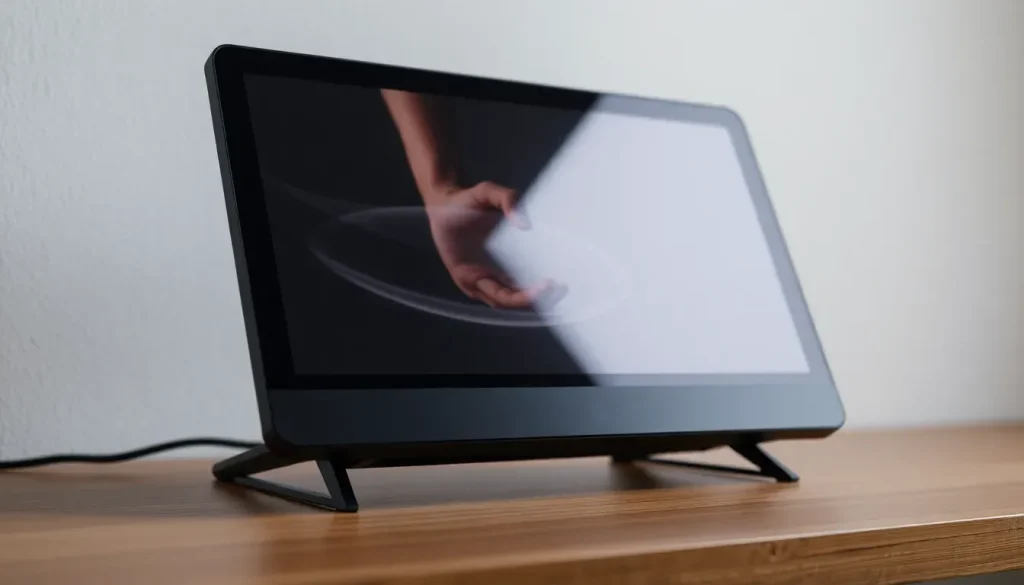
Amazon has long been recognized as the go-to platform for online shopping, offering an extensive array of products ranging from electronics to household items. However, the company's venture into smart devices has triggered a wave of complaints among users, particularly regarding the growing number of advertisements showcased on their Echo Show devices. This situation has raised questions about the balance between functionality and user experience.
The Echo Show series, designed to integrate seamlessly with Amazon's virtual assistant, Alexa, is marketed for its convenience and innovative features. Yet, recent reports indicate that the devices are increasingly inundated with ads, frustrating many users who expected a smoother and less commercialized experience.
- Amazon increases advertisements on Echo Show devices, including during photo displays
- Amazon's stance on advertising frequency and its necessity for user experience
- How to remove ads from your Echo Show
- Understanding the mixed reception of Amazon Echo devices
- Impact of advertising on user satisfaction with Amazon Echo devices
- Exploring the energy consumption of Echo Show devices
- Removing ads from Amazon Music on Alexa
Amazon increases advertisements on Echo Show devices, including during photo displays
Recently, Amazon introduced its new Fire TV Stick 4K Select alongside updates to other devices such as the Kindle Scribe and various Echo Show models. These updates include improved screen resolutions of 720p and 1080p, respectively, and a new A3Z Pro processor aimed at enhancing voice recognition capabilities.
Despite these advancements, users report that their Echo Show devices are becoming more like advertising billboards. One of the most notable complaints is the prevalence of ads appearing on the home screen, as well as during personalized photo displays. This shift has left many feeling that the devices are prioritizing advertising revenue over user satisfaction.
Some of the most frustrating aspects highlighted by users include:
- Frequent interruptions by ads during casual usage.
- Advertisements showing up unexpectedly while viewing personal photo galleries.
- A general feeling of being overwhelmed by commercial content on a device meant for personal use.
Amazon's stance on advertising frequency and its necessity for user experience
User feedback has reached a boiling point on platforms like Reddit, where discussions about the increased frequency of ads on Amazon devices are rampant. Jennifer Pattison Tuohy from The Verge recently expressed that her Echo Show feels more like a "billboard" than a personal assistant. Users are vocal about their discontent, and Amazon has acknowledged the feedback, albeit without committing to any changes.
While Amazon has not confirmed an uptick in ad occurrences, the company maintains that advertising is an essential part of the user experience. They assert that ads help customers discover new products and content that may be of interest to them.
It’s essential to note that the Echo Show devices are sold at full price, unlike the Kindle models, which offer a cheaper ad-supported version. This pricing structure has led many users to feel that they deserve a more controlled ad experience, prompting calls for options to minimize the frequency of advertisements.
How to remove ads from your Echo Show
For users looking to regain some control over their Echo Show experience, there are several steps that can be taken to minimize or eliminate advertisements. Consider the following methods:
- Navigate to the settings menu on your Echo Show.
- Look for the "Home & Clock" settings.
- Turn off the "Show Featured Content" option to reduce unwanted ads.
- Consider using the "Do Not Disturb" mode during specific hours.
- Regularly check for software updates that may improve user experience and ad management.
By following these steps, users can customize their device settings to limit the interruptions caused by ads.
Understanding the mixed reception of Amazon Echo devices
The Amazon Echo Show series has received a mixed reception since its inception. While many appreciate the convenience of voice-activated controls and integration with smart home devices, others are deterred by the intrusive nature of ads and the perceived shift from a personal assistant to a marketing platform.
Key factors contributing to the mixed reviews include:
- Innovative features that enhance daily tasks, such as cooking timers and reminders.
- Integration capabilities with various smart home devices, allowing for seamless control.
- Concerns over privacy and data collection, particularly with voice-activated technology.
- The ongoing evolution of advertising practices within the ecosystem.
Impact of advertising on user satisfaction with Amazon Echo devices
The rise in advertisements on Echo Show devices is prompting a reevaluation of user satisfaction. Many users feel that the increasing commercialization of these devices detracts from their original purpose as helpful home assistants. The delicate balance between providing a free or low-cost service and maintaining a positive user experience is becoming increasingly challenging for Amazon.
Users have expressed that they would prefer a more transparent approach to advertising, which might include:
- Offering an ad-free subscription model.
- Providing clearer options for users to control ad settings.
- Implementing user feedback more actively to refine advertising strategies.
Exploring the energy consumption of Echo Show devices
As with any smart device, energy consumption is a concern for users, particularly when devices are on continuously. The Amazon Echo Show, depending on its model, can vary in energy usage. Factors affecting energy consumption include:
- The size and type of screen.
- Frequency of use and the features activated (e.g., video calls, streaming).
- Connection to other smart devices and constant updates.
For users concerned about energy bills, monitoring usage and considering settings that reduce power consumption can be beneficial.
Removing ads from Amazon Music on Alexa
In addition to the ads on the Echo Show, many users experience unwanted advertisements while using Amazon Music through Alexa. To manage these ads, consider the following approaches:
- Upgrade to an Amazon Music Unlimited subscription, which eliminates ads.
- Utilize a different music streaming service that offers ad-free options.
- Adjust playback settings to limit interruptions.
By taking these steps, users can enhance their listening experience and reduce unwanted distractions.
For those interested in a visual explanation of managing ads on their devices, this video provides practical solutions:


Leave a Reply