
Apple launches macOS Tahoe 26.1 RC with new features
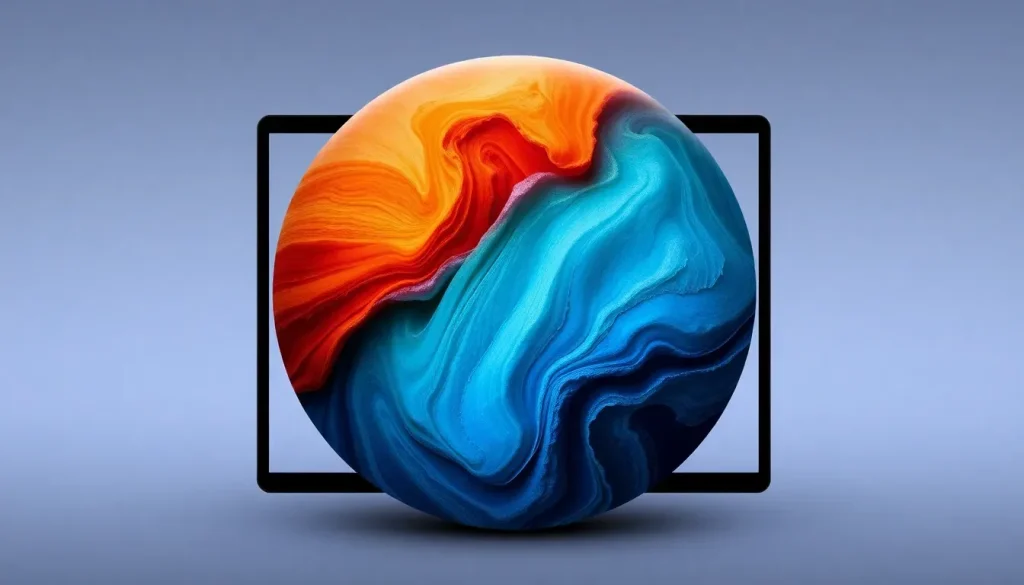
Apple has officially unveiled the release candidate version of macOS 26.1, targeting developers and eager beta testers in anticipation of a broader public rollout. This update is packed with exciting features and enhancements, aimed at refining user experience and integrating advanced technology.
Exciting new features: AI groundwork and design changes
The new macOS 26.1 version lays significant groundwork for future developments in artificial intelligence. Apple is set to enhance its operating system with advanced AI capabilities, integrating support for the Multi-Channel Processing (MCP) framework, which is crucial for the functionality of various AI applications.
In addition to the robust AI framework, users can expect new third-party service integrations beyond the existing ChatGPT functionality on the Image Playground. This expansion aims to provide users with a more versatile and powerful set of tools for creativity and productivity, although specific details on new services are yet to be announced.
Another noteworthy change is the introduction of the Tinted Liquid Glass feature. Users now have the option to toggle between the classic Liquid Glass design and a new muted color version that enhances visual contrast, catering to a wider range of aesthetic preferences and improving usability in different lighting conditions.
Moreover, Apple has responded to user feedback regarding the Macintosh HD icon, making further modifications to it following criticism of its previous redesign. This demonstrates Apple's commitment to listening to user input and continuously refining their design language.
- Enhanced AI capabilities with MCP support.
- Integration of multiple third-party services on Image Playground.
- Introduction of Tinted Liquid Glass for improved contrast.
- Updated Macintosh HD icon based on user feedback.
Additionally, macOS 26.1 features a revamped Apple TV icon and includes references to a second-generation Apple Pro Display XDR, indicating Apple’s ongoing innovation in hardware development. These enhancements not only improve aesthetics but also align with Apple’s vision of a seamless ecosystem.
How to install the macOS 26.1 beta
For those eager to experience the latest features of macOS 26.1, installing the beta version is straightforward. Follow these steps to ensure a smooth installation:
- Backup your Mac to prevent any data loss.
- Open System Settings from the Apple menu.
- Navigate to General ⇾ Software Update.
- Click the ‘i’ icon next to Beta Updates.
- Select the macOS Developer Tahoe Beta from the dropdown menu.
- Press ‘Done’ to initiate the installation process.
As you dive into the new features, don’t forget to share your insights and feedback in the comments section. User experiences are invaluable for refining future updates.
Insights into the macOS 26.1 beta features
Apple's commitment to enhancing user experience is evident in macOS 26.1. The beta version not only refines existing functionalities but also introduces innovative features that promise to elevate productivity and creativity. Here are a few highlights to look forward to:
- Streamlined user interface adjustments for better navigation.
- Enhanced security features to protect user data.
- Improved system performance, aiming for faster load times and smoother transitions.
- New accessibility options to cater to a diverse range of users.
These changes not only enhance the overall experience but also demonstrate Apple's dedication to inclusivity and user-centric design principles.
Explore accessories and deals
As you explore the new features of macOS 26.1, consider upgrading your hardware with some essential accessories. Here are a few highly-rated products available on Amazon:
- Apple AirTag 4 Pack for keeping track of your belongings.
- Beats USB-C to USB-C Woven Short Cable for reliable charging.
- Logitech MX Master 4, a top-rated mouse for productivity.
- AirPods Pro 3 for superior sound quality.
- Wireless CarPlay adapter, enhancing your in-car experience.
- iPhone Air Ultraslim MagSafe Power Bank for on-the-go charging.
These accessories can significantly enhance your overall experience with macOS 26.1, providing seamless integration and improved functionality.
For more insights and updates on the latest macOS features, check out this informative video:


Leave a Reply