
Apple Wallet adds car key support for GM vehicles in update
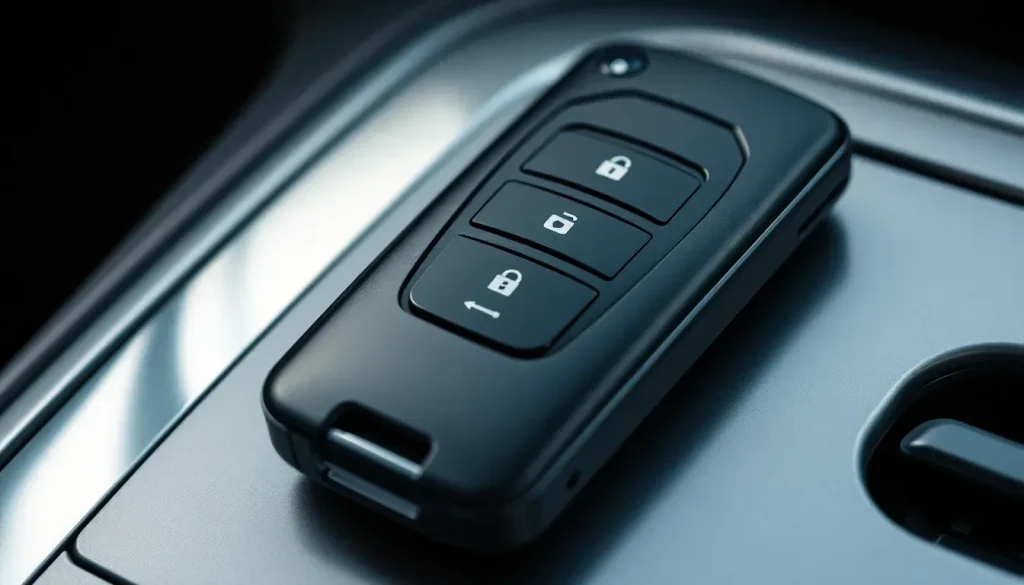
In recent years, the integration of smartphones into various aspects of our lives has transformed the way we interact with technology. One of the most exciting developments has been the ability to use smartphones as digital car keys. With Apple Wallet leading the charge, many automakers are now exploring this innovative feature. Recently, it was reported that General Motors (GM) is joining the ranks of manufacturers who will support this functionality. This article delves into what this means for users, how to add car keys to Apple Wallet, and the broader implications for the automotive industry.
GM joins the list of automakers adopting Apple Wallet car key support
At this year's WWDC, Apple announced that a total of 13 new automakers had pledged to integrate the Apple Wallet car key feature into their vehicles. This exciting confirmation suggests that the future of automotive technology is not just about self-driving cars, but also about how we access and operate them.
According to MacRumors, new backend code indicates that GM vehicles are set to support car key integration. The findings suggest that car owners will soon be able to unlock and start their vehicles using only their iPhones.
“Car key support for select General Motors vehicles could be added to the Apple Wallet app in the near future, according to code discovered by MacRumors. Apple has added settings for GM vehicles to an internal list of vehicles that offer car key integration.”
This development is part of a larger trend where automakers are focusing on enhancing the user experience by integrating technology into their vehicles. Alongside GM, other manufacturers such as Rivian, Smart, and Voyah are also preparing to embrace this feature, as noted by tech analyst Aaron Perris on social media.
It is important to understand that while Apple’s backend enhancements are promising, they rely on automakers to implement the necessary changes on their side. This means that even with the code in place, users may need to wait for GM to finalize its own updates before they can access this feature.
How to add GM car keys to Apple Wallet
As car key support rolls out, users will want to know how to add their GM vehicle keys to Apple Wallet. The process is expected to be straightforward and user-friendly, leveraging the existing functionalities of the Wallet app. Here’s a simple guide on how to do it:
- Ensure your iPhone is updated to the latest version of iOS.
- Open the Apple Wallet app on your device.
- Select the option to add a new card or key.
- Follow the prompts to scan your vehicle’s key fob or enter the information manually.
- Once added, you should see your vehicle key appear in the Wallet app.
- To unlock your car, hold your iPhone near the car’s door handle.
This process underscores the seamless integration that Apple aims for with its Wallet features. As more automakers adopt this technology, the steps to add keys will likely become even more intuitive.
Which cars support Apple Wallet car key?
Currently, the car key feature is being rolled out to a variety of brands. For GM, the initial support will extend to several popular models under its Cadillac, Chevrolet, and GMC lineups. However, specific models that will support the feature are yet to be confirmed. Here’s a look at some of the brands expected to adopt Apple Wallet car key support:
- Cadillac
- Chevrolet
- GMC
- Rivian
- Smart
- Voyah
- Acura
- Chery
- Hongqi
- Lucid
- Porsche
- Tata
- WEY
This broad adoption signals a significant shift in how car manufacturers are approaching vehicle access and security. Future buyers may prioritize brands that offer digital key capabilities as a standard feature.
What keys can you add to Apple Wallet?
In addition to vehicle keys, Apple Wallet supports a variety of digital keys, enhancing convenience for users. Here’s a list of key types you can currently add to Apple Wallet:
- Car keys for supported vehicle brands.
- Hotel room keys.
- Office access keys.
- Transit cards for public transportation.
- Membership cards for loyalty programs.
- Event tickets.
This versatility demonstrates Apple’s commitment to providing a streamlined digital experience, allowing users to carry everything they need in one convenient location.
Can I use my iPhone as a car key fob?
Yes, once a vehicle's key is successfully added to Apple Wallet, your iPhone can function as a digital car key fob. This means you can unlock and start your car without the need for a physical key. Here are some benefits of using your iPhone as a car key:
- Convenience: No need to dig through your bag or pockets for your keys.
- Security: Enhanced security features through biometric authentication.
- Sharing: Easily share access with friends or family through the Wallet app.
- Remote access: Some models may allow for remote locking and unlocking of doors.
This functionality is particularly appealing for those who are already integrated into the Apple ecosystem, making everyday tasks even easier.
The future of digital keys in the automotive industry
The addition of car key support to Apple Wallet represents just one aspect of a broader trend towards digital solutions in the automotive space. As technology continues to evolve, we can expect to see:
- Increased adoption of digital keys across more automakers.
- Enhanced features, including remote vehicle controls and diagnostics via mobile apps.
- Integration with smart home systems, allowing for seamless transitions between home and vehicle.
- Improved security measures to combat potential hacking threats.
This shift indicates that consumers are looking for not just cars, but connected experiences that enhance their lifestyle. The focus will likely continue to be on how technology can improve convenience, security, and accessibility in the automotive realm.
As we await the official rollout of this feature for GM and other manufacturers, it’s clear that the future of automotive technology is heading towards a more integrated and user-friendly experience.


Leave a Reply