
Cherry KW 550 MX LP mechanical keyboard review and performance analysis
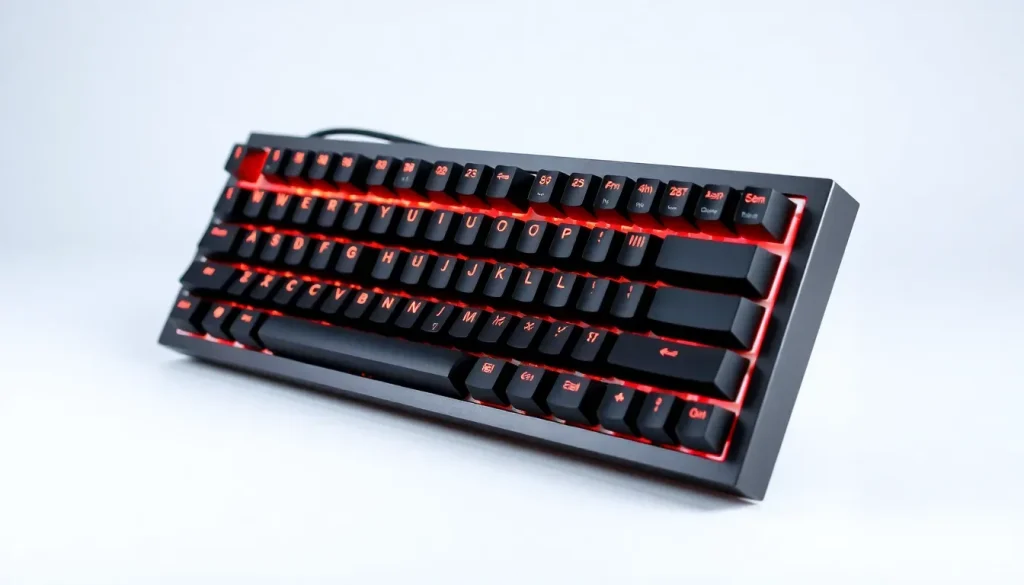
The Cherry KW 550 MX LP mechanical keyboard represents a compelling option for those looking to delve into the world of mechanical keyboards, particularly for users transitioning from traditional keyboards. With its low-profile design and robust feature set, this keyboard strikes a balance between performance and affordability, making it ideal for both casual users and professionals.
Founded in the early 1950s, Cherry has established itself as a landmark brand in the keyboard industry, particularly known for its high-quality mechanical switches. Originally a manufacturer of microswitches for arcade machines, Cherry has successfully evolved over the decades to cater to the burgeoning demand for computer peripherals. The KW 550 MX LP exemplifies this legacy, offering a blend of innovation and usability, designed for those who value both function and style.
- Unboxing the Cherry KW 550 MX LP
- Cherry KW 550 MX LP Specifications
- Build Quality and Design Aspects
- Mac Compatibility and Software Limitations
- Performance During Use
- Cherry KW 550 MX LP: A Low-Profile Keyboard Worth Considering
- Cherry KW 550 MX LP Pros
- Cherry KW 550 MX LP Cons
- Where to buy the Cherry KW 550 MX LP
Unboxing the Cherry KW 550 MX LP
The Cherry KW 550 MX LP arrives in a straightforward yet sturdy packaging that reflects its quality brand. Upon unboxing, users will find:
- Cherry KW 550 MX LP keyboard
- USB-A to USB-C cable for wired connection
- User manual
This 95 percent keyboard features low-profile mechanical switches and supports both Bluetooth and USB-A wired connection. The keyboard is available in two sleek color variants: black (with contrasting black and grey keycaps) and grey (with white and grey keycaps), allowing users to choose a model that fits their workspace aesthetic.
Cherry KW 550 MX LP Specifications
Understanding the specifications of the Cherry KW 550 MX LP helps in appreciating its capabilities. Here’s a quick overview:
- Construction: Durable plastic case
- Device Connectivity: Supports up to 4 devices with three Bluetooth 5.2 channels and one USB-A connection
- Switches: Cherry MX Ultra Low-Profile 2.0 Tactile switches
- Backlighting: White LED with color indicators for status keys
- Dimensions: 14.8 in x 4.92 in x 0.98 in
- Weight: 24 oz.
- System Requirement: USB-C
- Hot Swap: No
Build Quality and Design Aspects
The build quality of the Cherry KW 550 MX LP is impressive, offering a lightweight feel without compromising on sturdiness. The casing is made from high-quality plastic, ensuring durability while maintaining a sleek aesthetic. The keys are designed for both comfort and visibility, which is essential for prolonged usage.
However, a notable downside is the user manual, which is printed in an exceedingly small font. This poses a challenge for users, particularly those unfamiliar with the setup process, as it lacks clarity in instructions. While the manual attempts to cover multiple languages, the presentation could be improved significantly.
Additionally, the keyboard employs Cherry MX Ultra Low-Profile 2.0 Tactile switches, which are known for their reliability and smoothness. However, the lack of user-customizable features limits personalization options, as there are no additional keycaps or switches available.
Mac Compatibility and Software Limitations
Despite its dual compatibility with Mac and Windows, potential Mac users might find the Cherry KW 550 MX LP lacking in dedicated software support. Cherry offers tools such as Cherry Keys and Cherry Utility primarily for Windows, leaving Mac users without the ability to customize key bindings or lighting effects.
While the keyboard can function seamlessly across operating systems, the absence of Mac-specific software represents a significant limitation for users who wish to optimize their experience fully. Changing modes between Mac and Windows can also be cumbersome due to the poorly designed manual, which does not effectively guide users through the process.
Performance During Use
After extensive use, the Cherry KW 550 MX LP has proven to be a reliable companion for both work and gaming. The keyboard’s design, which includes a full number pad, does take up more space than minimalist options like the Mac Magic Keyboard, but the benefits are well worth it.
Users will appreciate the stability provided by the rubber grips on the keyboard's underside, which helps prevent sliding during intense gaming sessions or typing marathons. The tactile feedback offered by the low-profile switches is highly satisfying, making typing feel seamless.
Moreover, the ability to connect to multiple devices enhances versatility. The keyboard can switch effortlessly between devices, making it suitable for a multi-platform setup. This feature was tested successfully with a Mac Studio, a gaming PC, and an iPad, demonstrating its adaptability.
For gamers, the Cherry KW 550 MX LP excels in responsiveness, providing smooth key presses that enhance the gaming experience. Players reported minimal fatigue even during prolonged sessions, underscoring its ergonomic design.
Cherry KW 550 MX LP: A Low-Profile Keyboard Worth Considering
The Cherry KW 550 MX LP stands out as a remarkable mechanical keyboard, especially for users seeking a low-profile option that doesn’t compromise on quality. With a retail price of $133, it occupies a sweet spot in the market, appealing to both entry-level users and seasoned mechanical keyboard enthusiasts.
This keyboard melds comfort, functionality, and durability, making it a solid choice for anyone interested in making a switch to mechanical keyboards. Despite its shortcomings in Mac software support and a less-than-ideal manual, the overall experience it provides is overwhelmingly positive.
If you appreciate the feel of ultra low-profile keyboards and are accustomed to the Mac Magic Keyboard, the Cherry KW 550 MX LP should definitely be on your radar. Its performance, connectivity options, and build quality make it a contender in the mechanical keyboard landscape.
Cherry KW 550 MX LP Pros
- Satisfying tactile feedback from keys
- High-quality build
- Familiar layout for Mac users
- Compatible with Windows systems
- Ability to connect with up to 4 devices
- Efficient device-switching functionality
- Affordable pricing for a mechanical keyboard
Cherry KW 550 MX LP Cons
- Lack of software support for macOS
- Inconvenient user manual
Rating: 3.5 out of 5
Where to buy the Cherry KW 550 MX LP
The Cherry KW 550 MX LP can be purchased from the Cherry Amazon shop for $133.
For a deeper understanding of the keyboard's features and performance, you may find this informative video helpful:



Leave a Reply