
Gigabyte X870E Aorus Elite X3D review of Turbo Mode 2.0
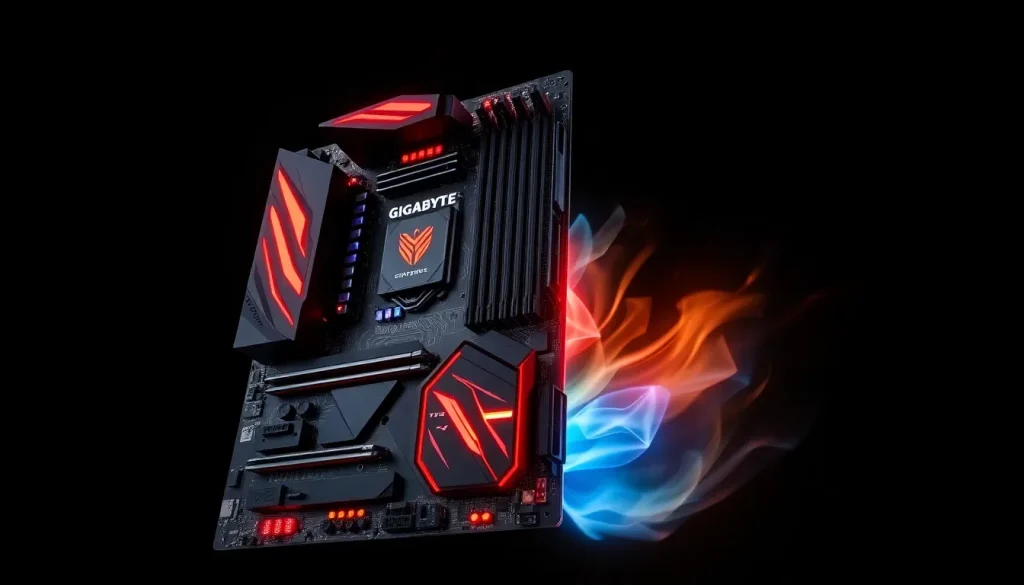
In the ever-evolving landscape of PC hardware, performance optimization is a crucial factor for enthusiasts and gamers alike. The introduction of AMD's Ryzen 9000X3D processors has raised the bar for processing power, but the real challenge lies in maximizing their potential. Gigabyte's latest motherboard, the X870E Aorus Elite X3D, seeks to address this challenge with its innovative X3D Turbo Mode 2.0. This feature promises to simplify the overclocking process, enabling users to extract every ounce of performance from their Ryzen CPUs.
With a price tag of $379.99, this motherboard positions itself as a premium option in the market, designed specifically for those looking to harness the full capabilities of their Ryzen 9000 processors. Below, we dive into the specifications, features, and performance of the X870E Aorus Elite X3D, offering a comprehensive overview that highlights its strengths and potential shortcomings.
Specifications and Pricing
The X870E Aorus Elite X3D shares similarities with its predecessor, the X870E Aorus Elite WiFi 7, which has been available at around $289/£269. However, the new model comes with a significant price increase of approximately 30%, launching at around $379. This premium reflects the additional features and enhancements tailored for high-performance computing.
Key specifications include:
- Chipset: X870E
- RAM Support: Up to 256GB with speeds certified up to 9,000MT/s
- USB Connectivity: Multiple USB-C ports with 40Gb/s capabilities
- LAN: 5GbE LAN standard
Gigabyte aims for the Elite X3D to be the go-to motherboard for Ryzen 9000 processors, incorporating several upgrades that enhance performance and connectivity. One of the standout features is the integration of X3D Turbo Mode 2.0, designed to optimize CPU performance dynamically.
Key Features of the X870E Aorus Elite X3D
This motherboard is equipped with a robust power delivery system, featuring a 16+2+2 power phase design with 80A Smart Power Stages. While this design is slightly less robust than the 18+2+2 configurations found in higher-end models, it suffices for the power needs of Ryzen processors, which peak at 170W.
Here are some of the notable features:
- Enhanced Memory Support: Official certification for memory speeds up to 9,000MT/s, ensuring compatibility with high-performance RAM.
- Cooling Solutions: Two substantial heatsinks for VRMs, equipped with ARGB lighting for aesthetics.
- M.2 Storage Options: Supports multiple M.2 drives with PCIe Gen 5 and Gen 4 interfaces for fast data access.
- Comprehensive Connectivity: A wide array of USB ports, including two 40Gb USB-C and five 10Gb USB-A.
The motherboard also includes a debug display and status LEDs, which facilitate troubleshooting and enhance user experience. Additionally, a metal backplate aids in thermal management and protects the board during installation.
Firmware and Software Functionality
The BIOS of the X870E Aorus Elite X3D has a user-friendly layout reminiscent of previous models, featuring an Easy Mode tab that provides access to essential settings like XMP profiles and fan curves. Users can also navigate to an Advanced Mode for more in-depth customization options.
One of the unique aspects of this motherboard is the ‘Built for X3D’ section within the BIOS, specifically designed to manage the X3D Turbo Mode 2.0. Users can toggle between different performance modes, though the Gigabyte ‘OnFly X3D’ application offers a more convenient interface for making these adjustments directly within Windows.
Understanding Turbo Mode 2.0
Turbo Mode 2.0 is a cornerstone of the X870E Aorus Elite X3D, designed to provide performance enhancements through a variety of adjustments. Users can select between Max Performance and Extreme Gaming modes, each with its own set of configurations:
- Max Performance Mode: Engages features like SMT, Dynamic ECLK, and fine-tuning of CPU temperature.
- Extreme Gaming Mode: Disables SMT and increases ECLK, while also enhancing memory bandwidth for improved gaming performance.
While Turbo Mode 2.0 aims to boost performance, Gigabyte has acknowledged that stability is paramount. A failsafe mechanism ensures that if the system detects instability, it automatically reverts to default settings.
The technology behind Turbo Mode relies on an AI model and dedicated hardware that tunes CPU parameters in real-time, adapting to workload demands. This approach represents an innovative step towards optimizing CPU performance dynamically based on usage scenarios.
Performance Testing and Benchmarks
To evaluate the performance of the X870E Aorus Elite X3D, a comprehensive benchmarking suite was conducted using the following system components:
- CPU: AMD Ryzen 9 9950X3D
- Cooler: Arctic Liquid Freezer III 360 Black
- RAM: 32GB (2x16GB) G.Skill Trident Z5 Neo RGB DDR5-6000 CL28
- GPU: Nvidia GeForce RTX 5090 Founders Edition
- SSD: WD_Black SN8100 2TB
- PSU: be quiet! Dark Power 13 1,000W
Performance metrics were collected under different Turbo Mode settings to assess their impact on gaming and multi-threaded workloads. The results highlighted notable variations in performance, particularly with the Extreme Gaming mode, which often sacrifices multi-threading capabilities for increased frame rates in specific titles.
2D and 3D Benchmark Results
In 2D benchmarks, the X870E Aorus Elite X3D demonstrated solid performance across various tests. However, it’s important to note that the settings in the Standard and Max Performance modes deviate from AMD's stock configurations. The Extreme Gaming mode, while effective for frame rates in some scenarios, resulted in a significant drop in multi-threaded performance.
For instance, when testing popular titles:
- Rainbow Six Siege: Achieved a 6-10% boost in frame rates.
- Cyberpunk 2077: Notched a 10% increase in average performance.
- Total War: Warhammer III: Suffered a 9-10% drop when switching to Extreme Gaming mode.
These results underscore the motherboard's duality: excellent for gamers willing to compromise on multi-threading, but potentially detrimental for users needing robust multi-core performance.
Cooling and Power Considerations
Given the aggressive performance tuning available through Turbo Mode 2.0, thermal and power management become crucial. Under load, the system's power consumption fluctuated significantly depending on the selected mode:
- Standard Mode: Power consumption ranged between 118-368W, with peak temperatures reaching 51°C for VRMs and 71°C for the CPU.
- Max Performance Mode: Increased power draw by 10%, with temperatures climbing to 77°C.
- Extreme Gaming Mode: Surprisingly yielded lower power consumption at 245W, along with reduced temperatures.
These metrics illustrate the potential thermal efficiencies when optimizing for gaming performance, as well as the importance of adequate cooling solutions, especially when overclocking.
Comparative Analysis: Elite X3D vs. Previous Models
The X870E Aorus Elite X3D marks a substantial upgrade over previous models, particularly in terms of features and performance optimizations. The introduction of Turbo Mode 2.0 represents a forward-thinking approach to maximizing the capabilities of Ryzen 9000 processors. However, the premium pricing raises questions about its value compared to existing models, such as the X870E Aorus Elite WiFi 7, which offers many of the same foundational features for nearly $100 less.
For builders considering this motherboard, it’s essential to weigh the benefits of the enhanced performance features against the additional cost. The potential for simplicity in overclocking with Turbo Mode 2.0 is appealing, but the effectiveness of this feature in real-world scenarios remains to be fully realized.
In the end, the Gigabyte X870E Aorus Elite X3D is a formidable contender in the premium motherboard market, boasting an impressive feature set and a commitment to performance enhancement. Its success will ultimately depend on users' willingness to embrace its advanced capabilities and the potential trade-offs in multi-threaded applications.
As Gigabyte continues to refine its offerings, the evolution of Turbo Mode 2.0 may pave the way for even greater optimization in future motherboard designs, providing users with even more tools to unlock the full potential of their high-performance CPUs.



Leave a Reply