
GL.iNet Comet GL-RM1 Remote KVM Device Review
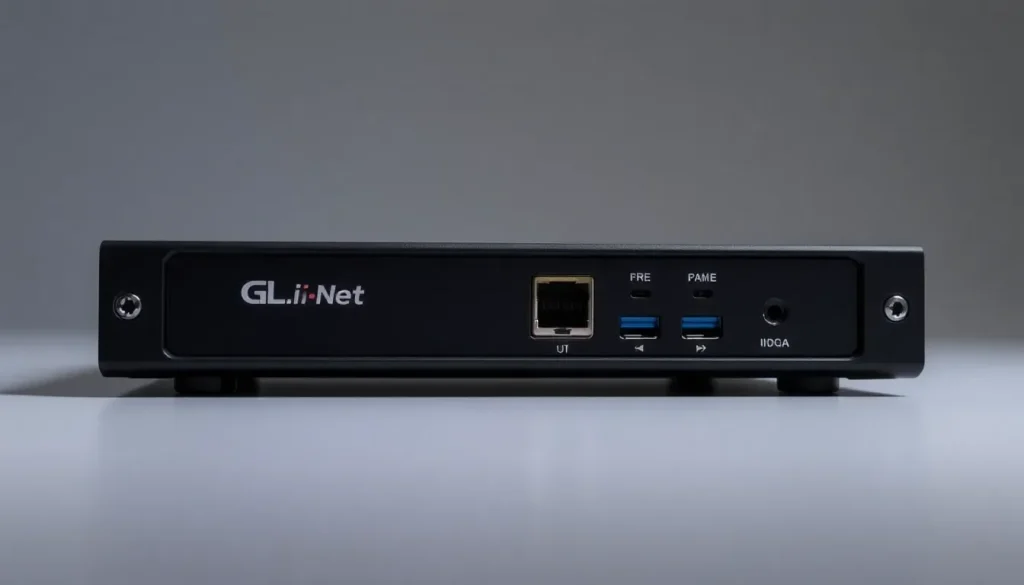
The GL.iNet Comet GL-RM1 represents a significant advancement in the realm of remote access technology. As a compact KVM (keyboard, video, mouse) device, it caters to users who need to control systems remotely, particularly in environments where traditional remote management options like iKVM are not viable. This device has garnered attention for its unique features and affordable pricing, making it an attractive solution for tech enthusiasts, IT professionals, and anyone needing remote access to their desktop systems.
In this article, we’ll dive deep into the specifications, performance, and usability of the GL.iNet Comet GL-RM1, providing insights that will help you determine whether this device is the right fit for your remote management needs.
Hardware Overview of the GL.iNet Comet GL-RM1
Upon unboxing the GL.iNet Comet GL-RM1, the first detail that stands out is a cautionary tab that advises against using a USB PD adapter for power supply. This is a crucial point, as using incompatible power sources can affect device performance.
Once you remove the tab, you might notice that the adhesive leaves a sticky residue, which could potentially detract from the overall user experience. A seemingly minor issue, yet one that reflects on the product's overall design quality.
The device features a clean design with minimal external elements. On one side, you'll find a reset button, which has proven useful during testing, allowing for straightforward troubleshooting.
On the opposite edge, the device is equipped with:
- One USB 2.0 port
- An HDMI input port
- A USB port dedicated to keyboard and mouse input
This configuration facilitates seamless connectivity with various devices, ensuring that controlling your system is as straightforward as possible.
Additionally, the GL-RM1 houses a 5V 2A power input and an Ethernet port for network connectivity. These ports are essential for establishing a stable connection, enabling remote management without interruptions.
Notably, the bottom of the unit displays the MAC address and the device's local name (glkvm.local). While this may seem trivial, users might encounter challenges when attempting to change this name, which reflects a design choice that could be improved in future iterations.
Alongside the device, you will receive several accessories:
- A short HDMI cable
- A USB Type-C to Type-C cable
- A Type-A to Type-C cable
- A short Ethernet cable
- A power adapter
These components are essential for setting up the device and minimizing the need for additional purchases.
Performance and Usability of the GL.iNet Comet
Once connected, the GL.iNet Comet GL-RM1 shines in terms of performance. The remote access capabilities allow users to manage their systems from virtually anywhere, providing a versatile solution for both personal and professional use.
The device supports a range of operating systems, making it compatible with most PCs and workstations. This flexibility is particularly beneficial for those who manage multiple systems across different platforms.
Moreover, the setup process is designed to be user-friendly. With detailed instructions and minimal configuration required, users can quickly get the GL-RM1 up and running. The device’s interface is intuitive, ensuring that even users with limited technical knowledge can navigate it effectively.
Comparing GL.iNet Comet with Other KVM Solutions
In the landscape of remote KVM devices, the GL.iNet Comet GL-RM1 stands out, but how does it compare to other solutions like JetKVM? Let's explore some key differences:
| Feature | GL.iNet Comet GL-RM1 | JetKVM |
|---|---|---|
| Price | Approximately $79 | Varies, often higher |
| Power Requirement | 5V 2A | Varies |
| Input Ports | USB 2.0, HDMI | Varies by model |
| Ease of Use | User-friendly setup | Requires more technical knowledge |
This comparison highlights the affordability and user-friendliness of the GL.iNet Comet, making it a compelling choice for those seeking an entry-level KVM solution.
Firmware and Updates
The GL.iNet Comet GL-RM1 comes with firmware that supports various features aimed at enhancing user experience. Regular updates from the manufacturer ensure that the device remains compatible with the latest systems and security protocols.
Updating the firmware is a straightforward process, typically achievable through the device's web interface. Users should regularly check for updates to take advantage of new features and security patches.
Power over Ethernet (PoE) Capabilities
One of the standout features of the GL.iNet Comet GL-RM1 is its potential for Power over Ethernet (PoE) use. This feature allows the device to receive power and data through a single Ethernet cable, simplifying installations and reducing cable clutter.
To utilize PoE, users will need a compatible PoE switch or injector. This setup can be particularly advantageous in scenarios where power outlets are limited or difficult to access.
Real-World Applications of GL.iNet Comet
The versatility of the GL.iNet Comet GL-RM1 makes it suitable for various applications, including:
- Remote management of servers and workstations
- Accessing home desktops from different locations
- Providing technical support for clients
- Streamlining IT operations in corporate environments
These applications demonstrate the device's potential to enhance productivity and efficiency in diverse settings.
For those interested in a more visual exploration of the GL.iNet Comet, check out this informative video:
In summary, the GL.iNet Comet GL-RM1 is a powerful and affordable solution for remote KVM access. Its compact design, user-friendly interface, and robust performance make it a worthy contender in the remote management market.



Leave a Reply