
iPhone 17 repair costs for fixing broken parts yourself
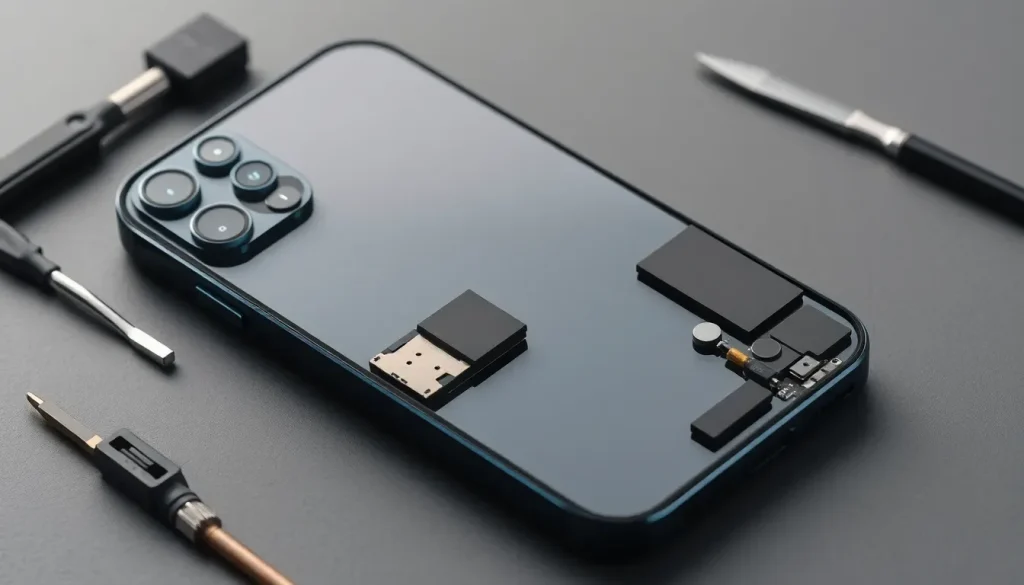
As technology continues to advance, so does the way we maintain and repair our devices. Apple has now made self-service repair parts available for the iPhone 17 series, allowing users to tackle repairs on their own. This move not only empowers consumers but also reflects a growing trend towards repairability in electronics.
Understanding Apple's pricing for self-service iPhone 17 repair parts
In recent years, Apple has taken significant steps to improve the reparability of its devices. This includes the launch of its Self Service Repair Store, which gives customers access to genuine Apple parts and tools necessary for repairs. The introduction of self-service repair for the iPhone 17, iPhone 17 Pro, Pro Max, and iPhone Air is a substantial part of this initiative.
Through this program, users can purchase genuine parts directly from Apple, which is a notable shift from previous practices where third-party repairs often used non-original components. This not only ensures compatibility but also maintains the integrity of the device.
The prices for replacement parts vary based on the model. Here’s a breakdown of the costs associated with repairing the iPhone 17 series:
| Model | Part | Price |
|---|---|---|
| iPhone 17 | Back Glass | $159 |
| iPhone 17 | Battery | $99 |
| iPhone 17 | Display | $329 |
| iPhone 17 | Enclosure with Battery | $236 |
| iPhone 17 | Front Camera | $199 |
| iPhone 17 Pro/Pro Max | Back Glass | $159 |
| iPhone 17 Pro/Pro Max | Battery | $119 |
| iPhone 17 Pro | Display | $329 |
| iPhone 17 Pro Max | Display | $379 |
| iPhone 17 Pro/Pro Max | Enclosure with Battery | $299 |
| iPhone Air | Back Glass | $159 |
| iPhone Air | Battery | $119 |
| iPhone Air | Display | $329 |
| iPhone Air | Enclosure with Battery | $299 |
| iPhone Air | Front Camera | $199 |
While the costs of certain parts, like the display, can be significant, it’s crucial to weigh the benefits of performing a self-repair against potential professional repair costs or replacement of the device.
Can I fix my own iPhone back glass?
Repairing the back glass of the iPhone can be a daunting task due to the precision required and the potential for further damage. However, with the right tools and parts from Apple’s Self Service Repair Store, it's entirely possible. Here are some essential tips for undertaking this repair:
- Ensure you have the correct tools, including a heat gun or hairdryer to soften the adhesive.
- Work in a well-lit and clean environment to avoid losing small parts.
- Follow a reliable guide or video tutorial to navigate the disassembly process.
Many users have successfully replaced their back glass, but it's worth noting that this repair may void any existing warranty if not done correctly.
Can I fix a crack in my iPhone screen?
Cracked screens are one of the most common issues faced by smartphone users. Thankfully, Apple’s self-service repair program makes it easier than ever to replace a cracked screen on your iPhone 17. Here are the steps to consider:
- Purchase the replacement screen and tools from the Self Service Repair Store.
- Prepare your workspace and ensure you have adequate lighting.
- Carefully remove the old screen, taking note of all screws and connectors.
- Install the new screen, ensuring all connections are secure before reassembling.
While it may seem intimidating, many users find that the satisfaction of completing the repair themselves outweighs the risks involved.
Is it cheaper to repair or replace my iPhone?
The decision between repairing your iPhone and replacing it can be influenced by several factors, including the extent of the damage, the cost of parts, and the age of the device. Here are some considerations to help you decide:
- Evaluate the cost of repair parts compared to the resale value of your device.
- Consider the warranty status and whether repairs might void any remaining warranty.
- Think about the longevity of your device; if it’s several generations old, replacement may be more economical in the long run.
Ultimately, the choice depends on your specific situation, including budget constraints and personal preference for DIY repairs versus professional service.
Additional resources for self-repair
For those interested in diving deeper into repairs, various online resources provide valuable information:
- iFixit - Offers repair guides and tools for a wide range of devices.
- YouTube Tutorials - Many channels provide step-by-step guides for iPhone repairs.
- Reddit Discussions - Engage with other users who share their experiences and tips.
By utilizing these resources, you can enhance your repair skills and save money on potential repairs in the future. The key is to proceed with caution and ensure you have all the necessary tools and information before starting any repair job.
Have you tried repairing your iPhone using Apple’s self-service parts? Share your experiences and tips in the comments below!



Leave a Reply