
Sonos enhances Trueplay with iPhone 17 support
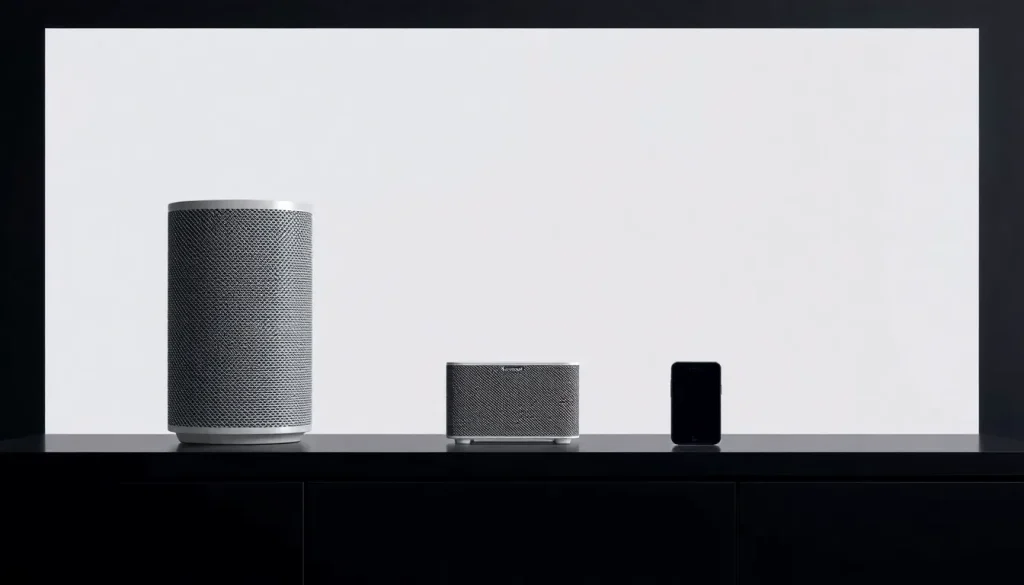
Sonos has recently made significant strides in enhancing its Trueplay feature, now fully compatible with the iPhone 17 lineup. This integration allows users to fine-tune their audio experience, optimizing sound quality based on the specific acoustics of their environment. In this article, we will delve into the details of this update, the functionality of Trueplay, and what it means for Sonos users.
Understanding Trueplay and Its Functionality
Trueplay is a remarkable feature that has been a staple for Sonos users, providing a way to calibrate sound based on room acoustics. Currently available on devices like the Sonos Arc Ultra, Era 100, and Era 300, Trueplay offers two primary types of adjustments: quick tuning and advanced tuning.
In quick tuning, the speakers utilize their built-in microphones to optimize sound performance based on how sound reflects off surfaces within the room. This functionality is ideal for users seeking a fast and efficient way to enhance their audio experience.
On the other hand, advanced tuning leverages the microphone of the iPhone for a more precise calibration, allowing for finer adjustments that can significantly improve sound quality. As explained by Sonos, this process involves measuring how sound interacts with walls, furniture, and other surfaces:
“Trueplay measures how sound reflects off walls, furnishings and other surfaces in a room, then fine-tunes your Sonos speaker to make sure it sounds great no matter where you’ve placed it.”
Recent Updates and User Experiences
Historically, Sonos users have experienced delays in receiving updates for Trueplay support with new iPhone releases. However, with the recent introduction of the iPhone 17, feedback from users has been overwhelmingly positive. For instance, a Reddit user noted that the Trueplay feature was made available less than a month after the iPhone 17's launch, a significant improvement compared to previous years.
One user remarked:
“Just wanted to give props to the TruePlay team for getting this shipped less than a month after the phones launched. I remember having to wait until close to Christmas before my new phone could calibrate my system again. Please give my thanks u/teamfromsonos.”
This feedback highlights not only the efficiency of Sonos in rolling out updates but also the appreciation from users who rely on Trueplay for an enhanced listening experience.
How to Update Your Sonos System
Updating your Sonos devices to take advantage of the latest features, including Trueplay, is a straightforward process. Here’s how you can ensure your system is up to date:
- Open the Sonos app on your device.
- Navigate to the settings menu.
- Select “System” and then “System Updates.”
- Follow the prompts to check for and install any available updates.
For users who prefer to update their devices without using the app, there are alternative methods available, although using the app is generally the most user-friendly option.
Current State of the Sonos App
The Sonos app has undergone several changes to improve user experience and functionality. The latest updates focus on enhancing connectivity, user interface, and compatibility with various audio sources.
Some significant changes include:
- Improved navigation for easier access to settings and features.
- Enhanced sound quality adjustments through Trueplay.
- Better integration with streaming services for seamless music playback.
These updates reflect Sonos's commitment to providing a top-notch audio experience for its users, making it easier to enjoy music across various platforms.
Trueplay Compatibility with iPhone
With the latest update, Sonos Trueplay is now fully compatible with the iPhone 17 lineup. This compatibility means that users can utilize their iPhone's microphone for advanced tuning, significantly enhancing sound calibration.
However, some users may still encounter connectivity issues. Here are some common problems and solutions:
- Connection Issues: Ensure that your iPhone is connected to the same Wi-Fi network as your Sonos speakers.
- App Not Recognizing Speakers: Restart the Sonos app and your speakers if they do not appear immediately.
- Trueplay Not Available: If you don’t see the Trueplay option, it may be rolling out gradually, so check back regularly.
Exploring Additional Accessory Deals
As you enhance your Sonos experience, consider upgrading your audio accessories. Below are some current deals on popular items that can complement your Sonos setup:
- Logitech MX Master 4
- AirPods Pro 3
- Wireless CarPlay adapter
- iPhone Air Ultraslim Magsafe Power Bank
- Apple AirTag 4 Pack
- Beats USB-C to USB-C Woven Short Cable
Whether you are looking to enhance your audio experience or upgrade your accessories, these deals can help you get the most out of your Sonos setup.
To further explore the capabilities of the new Sonos features, you can check out this informative video review:



Leave a Reply